Ambrosia
Everything you have copied, run, opened, bookmarked or noted, searchable one keypress away, and readable by other programs over D-Bus.
- Package
- ambrosia
- Licence
- Amber Source License, GPL-3.0-or-later from 1 May 2033
- Built with
- D-BusGTK 4OdinSQLite
- Part of
- Amberlin AI
- Source
- ambrosiaMost are private for now; access is free on request.
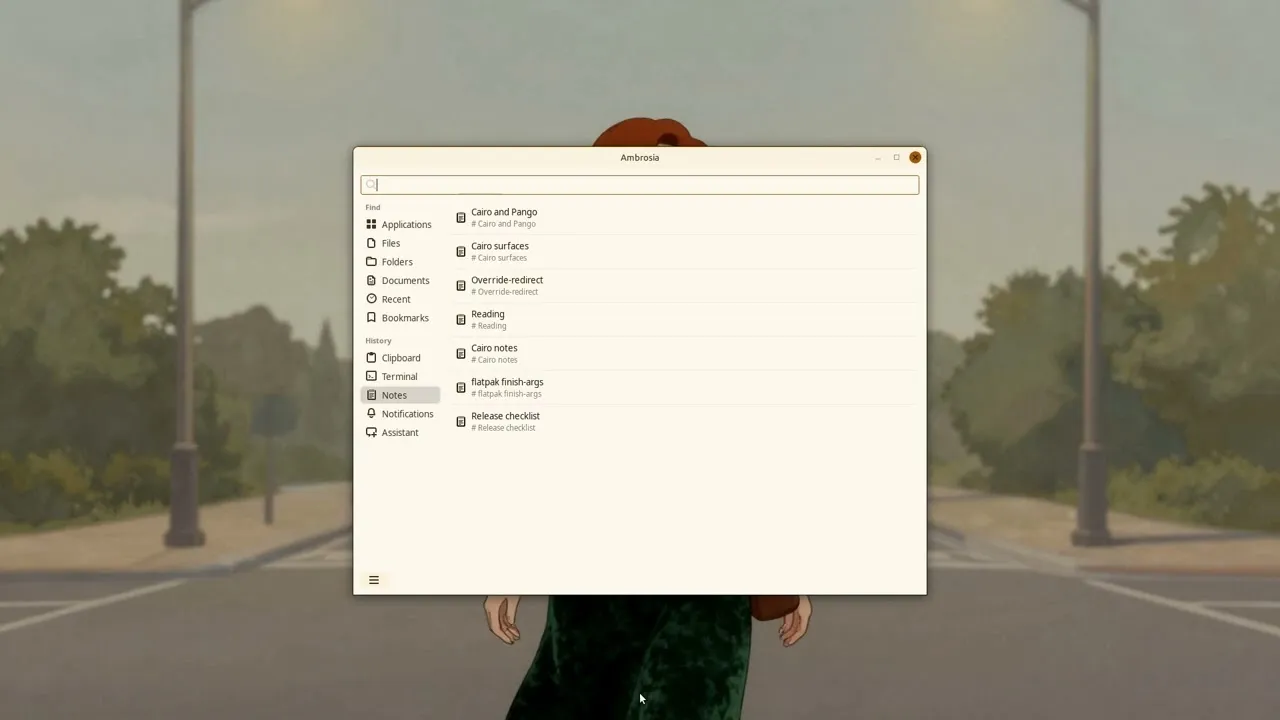
Ambrosia keeps what you do on the desktop and makes it searchable. It sits in the tray and remembers your clipboard history, terminal history, notes, bookmarks, recently opened files, desktop notifications, and the questions you have asked Amberlin with their answers. Press Ctrl+Alt+A and the panel opens with the search box ready; pick a row and it is pasted into the window you came from.
The search box is on top and the areas are a list on the left, in two groups. Find has Applications, Files, Folders, Documents, Recent and Bookmarks; History has Clipboard, Terminal, Notes, Notifications and Assistant. Alt and a number goes straight to an area, and Ctrl+Tab walks through them.
Files and Folders find by a few letters of a name, in order, and show which
letters matched; folders you have been to come first, and Shift+Enter opens a
kat800 terminal there. Documents searches inside your documents, by keyword and
by meaning. Notifications keeps the last hundred the desktop showed, and one
opens as a card in Copal. Terminal history comes from kat800, and it keeps what
.bash_history never records: the folder a command ran in, its exit code and
how long it took. A note is a Markdown document. Applications searches names,
descriptions and keywords, so typing “browser” finds Firefox.
The panel shows only the areas whose program is installed: Terminal and Folders come with kat800, Notes with Amberlin or kat800, Files, Folders and Documents with the indexer. Its settings, a switch for each optional area, a Clear per area and what you use over time are on the Ambrosia page of Amber Settings, which the panel’s menu opens. Installing Ambrosia brings that window and nothing of the assistant.
The desktop as a service
The panel is the part you see; the part that matters to the rest of the suite
is the service behind it. Ambrosia owns org.amberlinux.Ambrosia on the
session bus, and every domain answers the same small set of methods, so a
program that can read one domain can read them all. That is how kat800 shows
the same clipboard and history in its docks, how Copal lays your newest notes,
bookmarks and clips across the screen at a keypress, and where the Amberlin broker keeps every conversation.
The methods, with examples to try from a shell, are on
their own page.
Ambrosia itself calls no language model: finding documents by meaning is the indexer’s work, with the broker, and without them Documents searches by keyword. It runs on X11 only.
Install
Once the Amber Linux archive is set up (it takes three commands, on the packages page):
sudo apt install ambrosia