elektron
Amberlin's chat at a terminal prompt, with a persona of its own and panes for tools, tokens and pictures.
- Status
- Working
- Package
- elektron
- Licence
- Business Source License, GPL-3.0 from 1 May 2033
- Built with
- amber:tuiD-BusOdinOpenAI API
- Part of
- Amberlin AI
- Source
- elektron
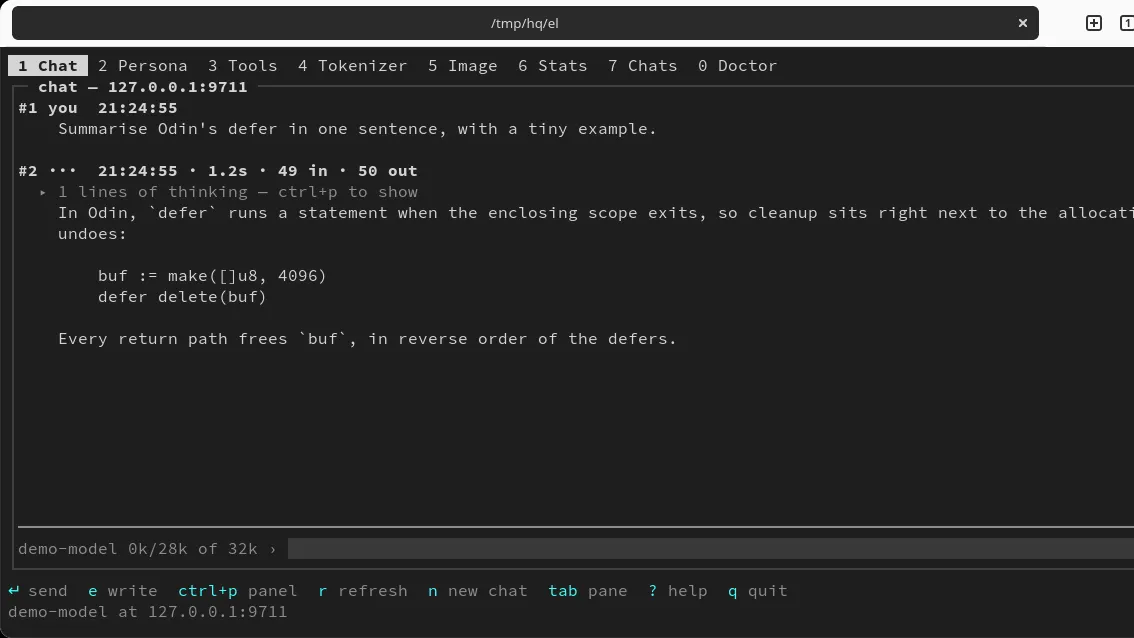
elektron is the same conversation Amberlin holds, at a terminal prompt: for a machine reached over ssh, or a box with no desktop to draw on. It is the third program that talks to the broker, after Amberlin and Katai in kat800, and like them it answers in a persona of its own. A persona is a system prompt and the sampling that suits it, one small TOML file each, picked from the Persona pane.
It works two ways. By default it asks the broker and holds no conversation itself: the broker runs the model and the tool calls and writes every finished turn to Ambrosia, so a chat picks up where it left off after a restart, and the Chats pane lists the earlier ones. It can also talk straight to any server that speaks the OpenAI chat API, such as llama.cpp, Ollama, vLLM or SGLang, and then keeps the conversation in a file beside it.
One key per pane
- 1 Chat: replies stream in as they arrive. A long conversation is folded into a running summary before it reaches the model’s context budget, counted in the server’s own tokens rather than guessed. A reply cut off at the token limit is labelled and kept.
- 2 Persona: the personas to answer in.
- 3 Tools: what the model can reach, and how often this machine has called each tool, including the ones nothing has called yet.
- 4 Tokenizer: counts a prompt on the chat’s own server, with its chat template or without it.
- 5 Image: pictures from an SGLang server, each file carrying its settings. The seed on screen is the seed in the file, so a good picture can be made again.
- 6 Stats: the chat machine, read from its Prometheus exporters.
- 7 Chats: earlier conversations, when it asks the broker.
- 0 Doctor: this machine: the build, the CPU and its busiest processes, the GPU and what is holding it, and the disks.
Settings
Everything lives in one file, elektron.toml, and every key is optional. A
server is named by one url, and the scheme written is the one used: nothing is
probed, and https is never quietly dropped for http. An API key bound for plain
http to another machine is refused at startup, with the file, line and rule. A
key can live in the desktop keyring instead of the file:
elektron store-key <host> reads it with echo off.
The name is ηλεκτρον, Greek for amber, the material static electricity was first seen in, and the root of the word electricity.
Install
Once the Amber Linux archive is set up (it takes three commands, on the packages page):
sudo apt install elektron