kat800
A tabbed, dockable terminal for Linux Mint, with a current VTE, remote tmux sessions as native tabs, containers and sandboxes as ordinary panes, and the desktop's clipboard, history and notes in docks beside the shells.
- Status
- In daily use; experimental until 1.0
- Package
- kat800
- Licence
- Business Source License, GPL-3.0 from 1 May 2033
- Built with
- GTK 4libadwaitaOdintmuxVTE
- Part of
- Amber Linux
- Source
- kat800
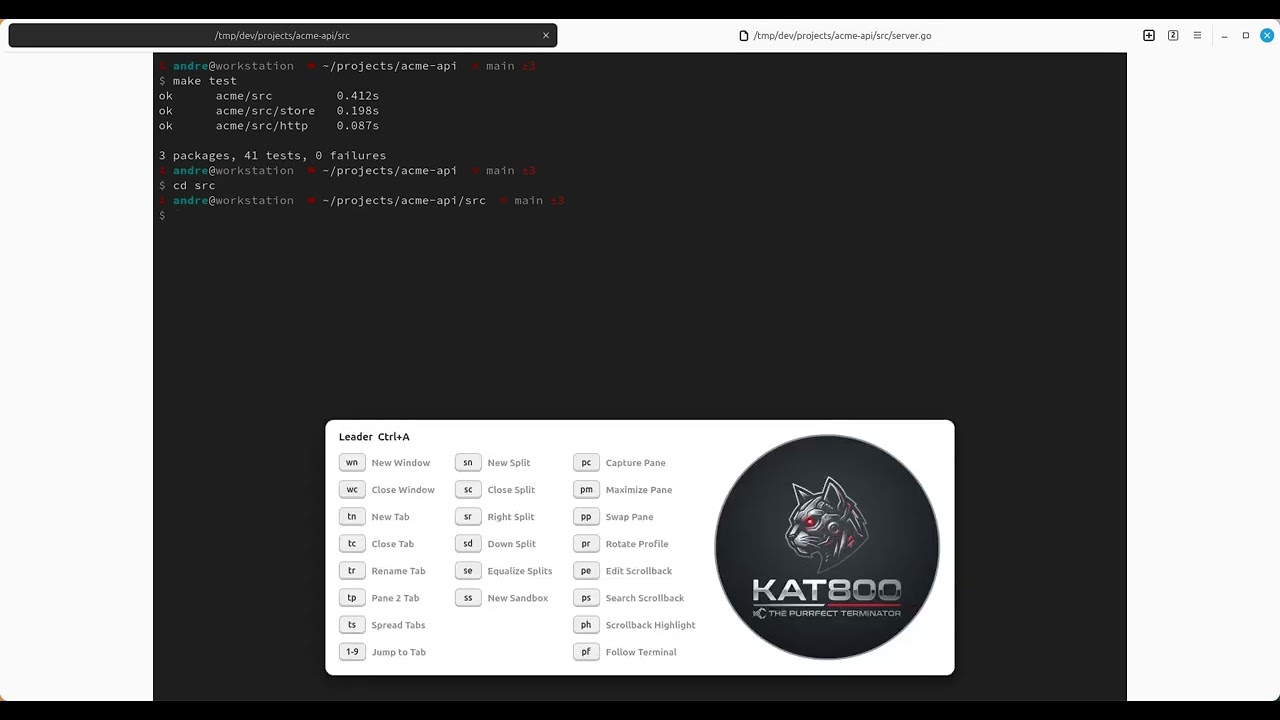
kat800 is a tabbed, dockable terminal for Linux Mint and Cinnamon, written in Odin with GTK 4 and libadwaita. The clip above is a working session: the tests run, the git dock opens, a second project splits in beside the first, and the tree is browsed.
Mint is a stable distribution, which is the point of it, and also why its terminal stack lags behind. kat800 brings a current one: it uses VTE 0.84 from amber-vte, because Mint’s own 0.76 lacks the termprops that the shell integration and the tmux bridge need. Mint’s own GTK and VTE are left alone. On top of that sit the things you would otherwise leave the terminal for: attaching to a remote tmux session, entering a container, confining a job, and reaching the files, branches, notes and clipboard that belong to the work.
Remote sessions as native tabs
kat800 is a tmux control-mode client. Attached with tmux -CC, tmux stops
drawing its own interface and streams its protocol instead, so kat800 can show
the session with real widgets: its windows arrive as native tabs and its panes
as native splits, with real scrollback, no status bar drawn inside one terminal
and no prefix key. Close the window and the session keeps running on the
server; attach again tomorrow and the panes are where you left them. iTerm2 has
done this on macOS for years.
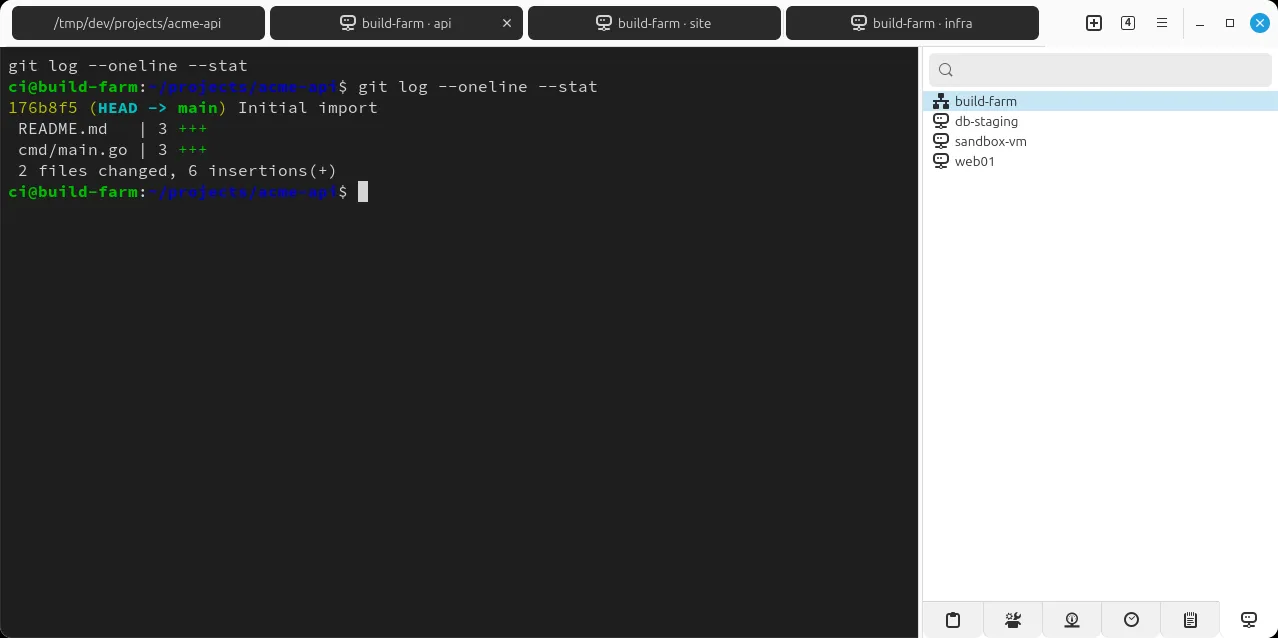
The hosts come from your own ~/.ssh/config, so there is nothing extra to set
up. Attaching is a row action in the Remotes panel, and kat800 ssh-setup HOST
copies the shell integration to the other side so the prompt, the history and
the directory tracking follow you there.
Containers and sandboxes as panes
The Containers panel lists the distrobox and podman boxes you have and the images you could start, and entering one is a row activation: the container becomes an ordinary pane, with the same scrollback, history and git dock as everything else. The panel marks the box a pane is inside, the tab puts its name before the title, and the tooltip names the runtime, all read from what the container tool itself announces.
Any pane can also start write-confined, one chord away, through bubblewrap and
systemd scopes: levels from sandboxes.toml, with optional CPU and memory
limits, and the strictest built-in level also cuts the network. The confinement
is visible, a coloured shield on the tab and in the prompt, so the one confined
pane among eight can be told at a glance. It suits an agent that shells out, and
the tab says so.
Pick a box and it is a pane. The prompt, the tab title and the panel marker all say which one you are inside.
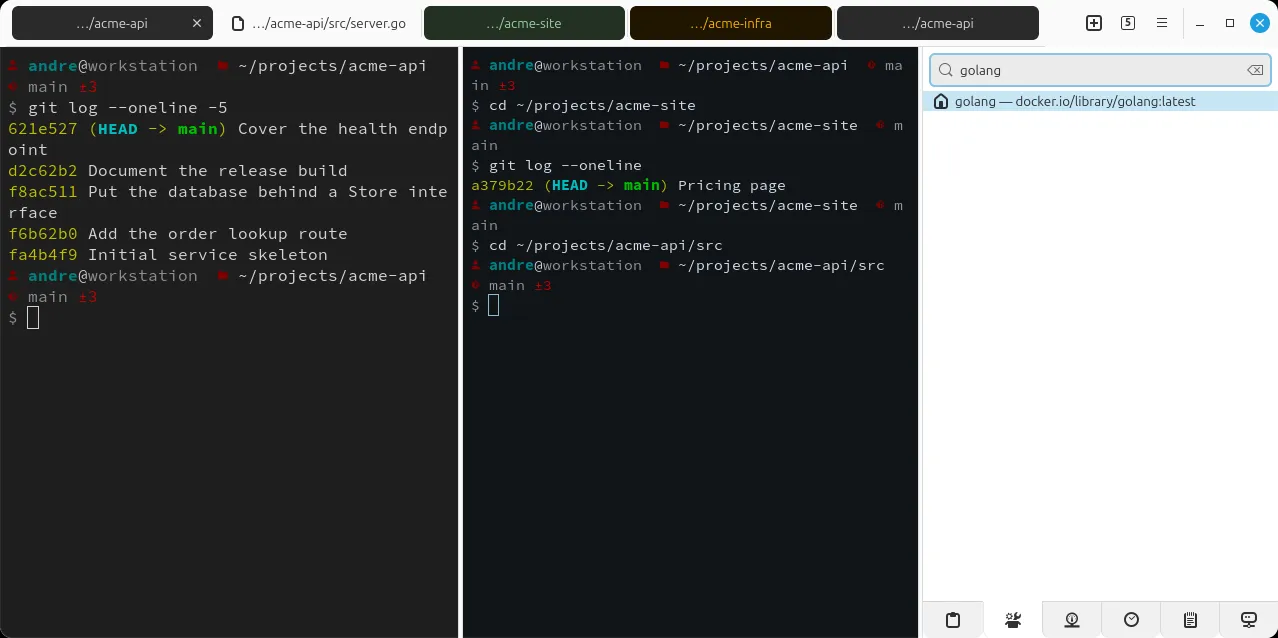
The panel lists distrobox boxes, podman containers and local images, gathered without blocking.
Panes, docks and panels
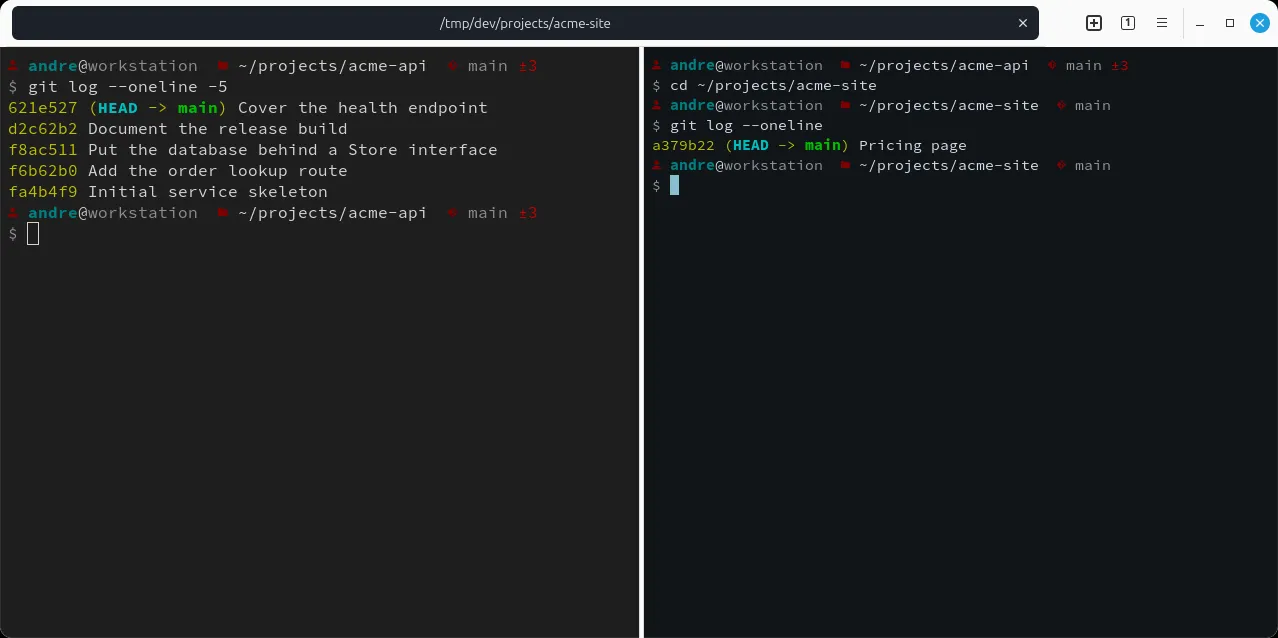
A pane is one shell. A tab holds panes, split recursively; a window holds tabs. Every pane carries its own working directory, branch and command history, and the prompt, the tab label and the docks follow whichever pane has focus. Tab labels show as much of the working directory as fits, so a window full of jobs does not read as eight tabs called bash.
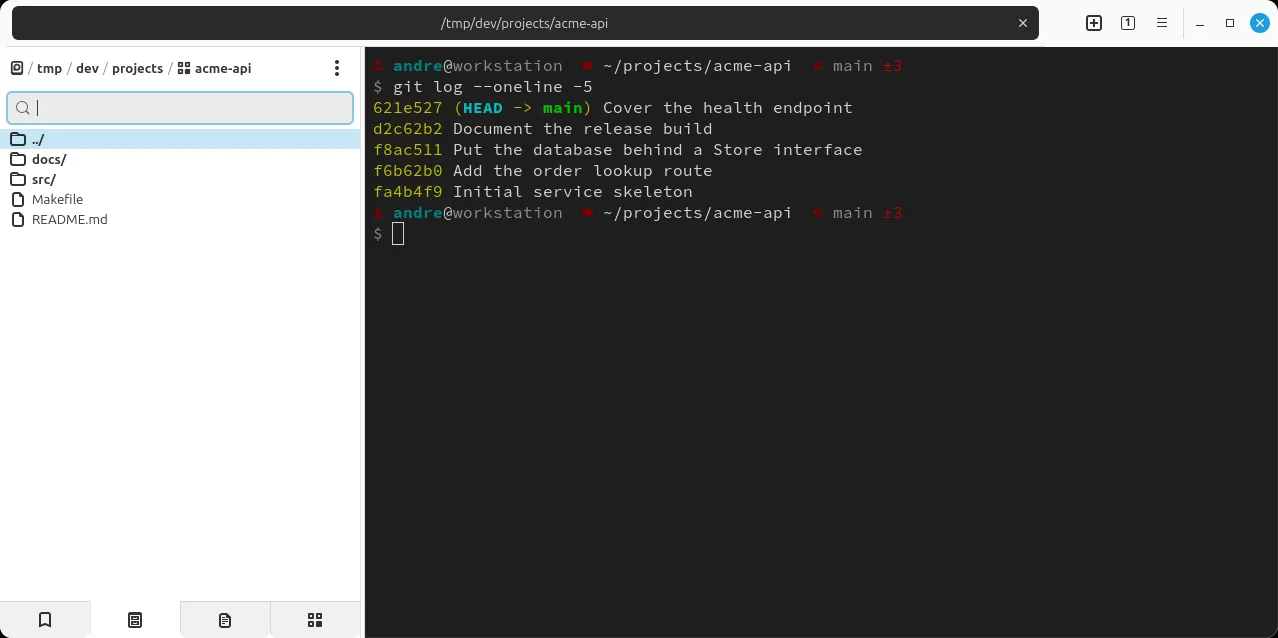
Three docks, left, right and bottom, each show one panel at a time, and every list panel works the same way: a filter box above a list, type to narrow, Enter to act. Enter runs the row in the focused terminal, Ctrl inserts it without running, Shift runs it in a new tab, and a busy terminal refuses with a message rather than typing into a running program.
- Git worktrees: staged, unstaged and untracked files with diff counts, or the worktree list, following the focused pane. Several branches checked out in several folders, each with its own pane, without stashing. Every action shows the command it is about to run.
- Files: an explorer that follows the active tab’s folder.
- History, Clipboard, Memos and Bookmarks: kept by Ambrosia on the session bus, so they belong to the desktop, not to one terminal. Run a command in one tab and find it in another; copy something anywhere and it is here.
- Opened: the files opened in kat800.
- Remotes, Containers and Workspaces: the launchers above and below.
- Doctor: live CPU, memory, GPU, temperature, disk and network meters, and
the system facts that
kat800 doctorprints. - Katai: an assistant beside the terminal, on its own page.
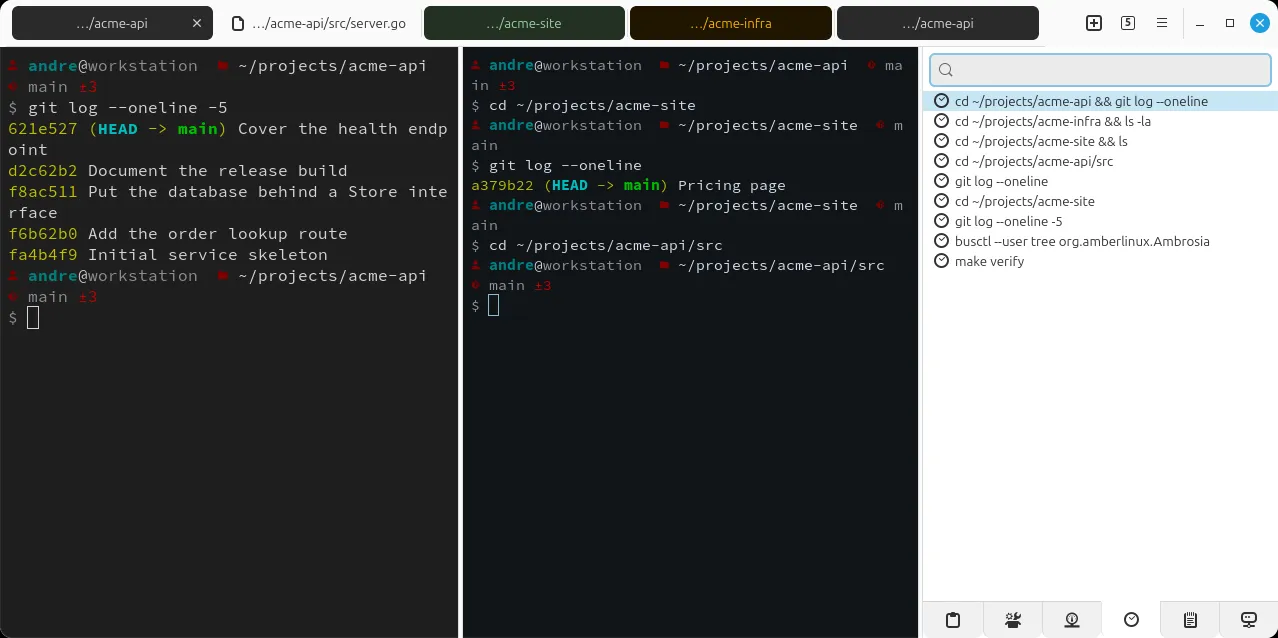
History. Every command run, with its folder and the terminal it ran in, filtered like a command palette.
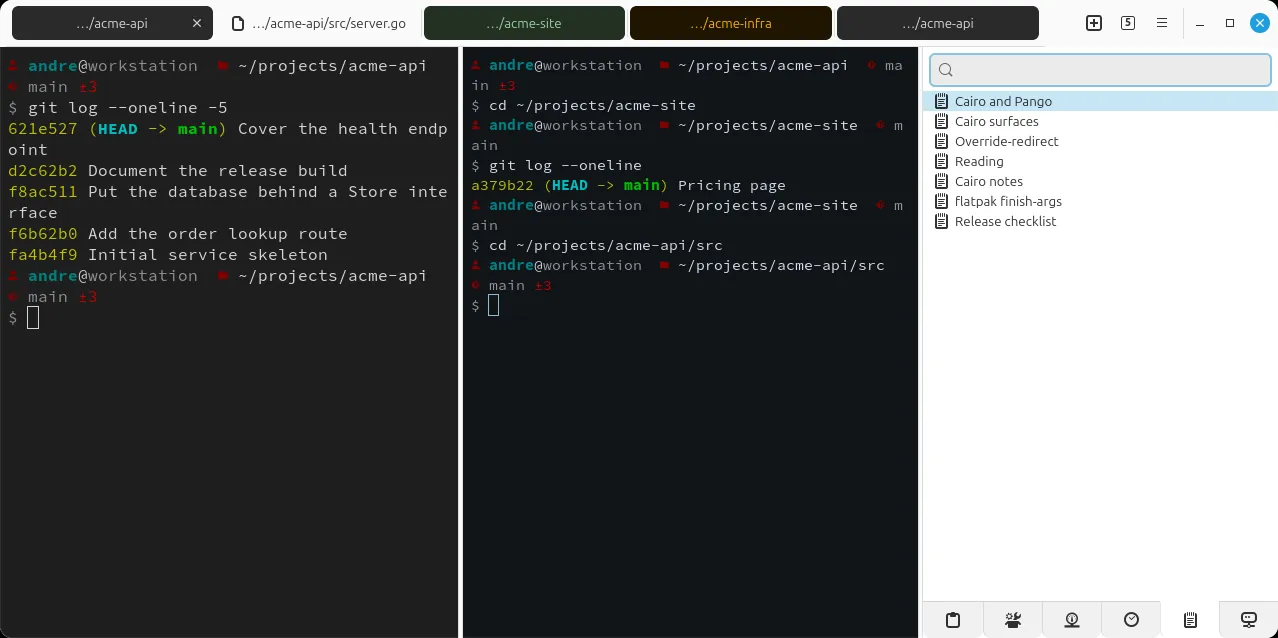
Memos. A note opens as an editor tab and saves back to the store; the panel's menu turns the terminal selection into a new one.
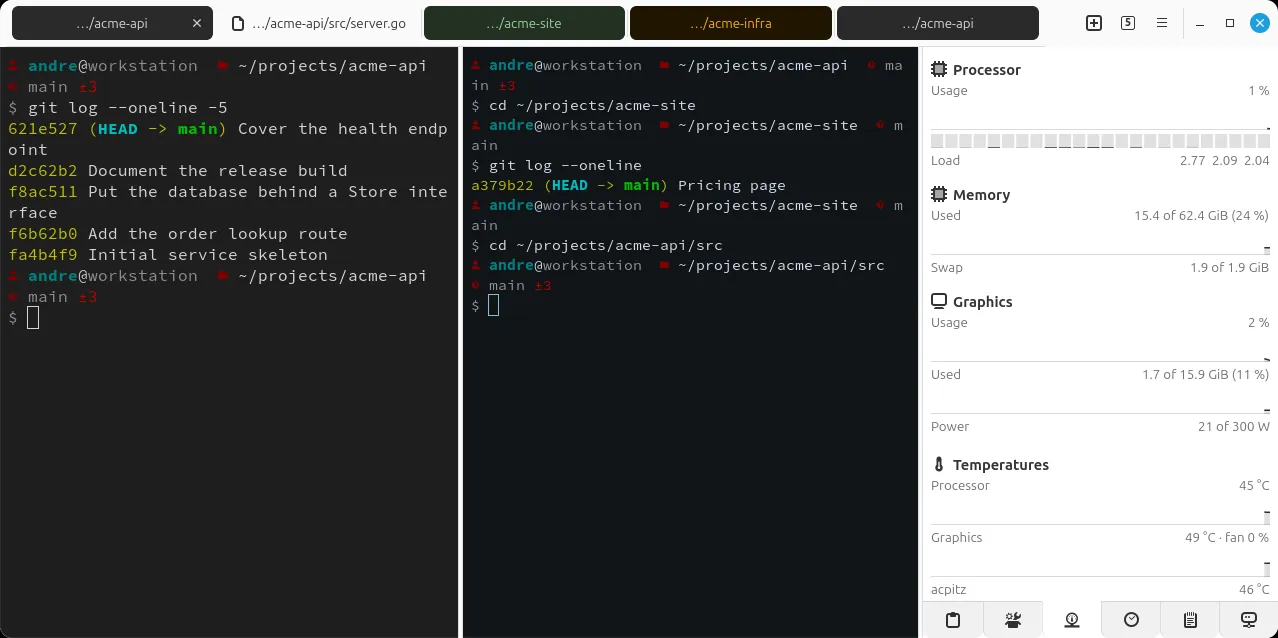
Doctor. The one panel without a list: meters, sparklines and the facts, on a one-second tick that never blocks.
F9 shows every dock or hides them all. Sizes and visibility are kept per session.
Workspaces
Other terminals save a named layout and launch it from a list. kat800 has no
list, on purpose: the layout belongs to the folder. A .kat800/ marker in a
project root makes it a workspace, and its tabs, splits, working directories,
colours and dock state are stored inside it, saved a second after each change.
Reopening a project puts you back where the work was. A workspace can carry its
own colour profiles, sandbox levels and spell-check words, so one project’s
rules do not leak into another’s. A cloned repository carrying one sets no
shell, no assistant endpoint and no sandbox level until you trust it.
The editor
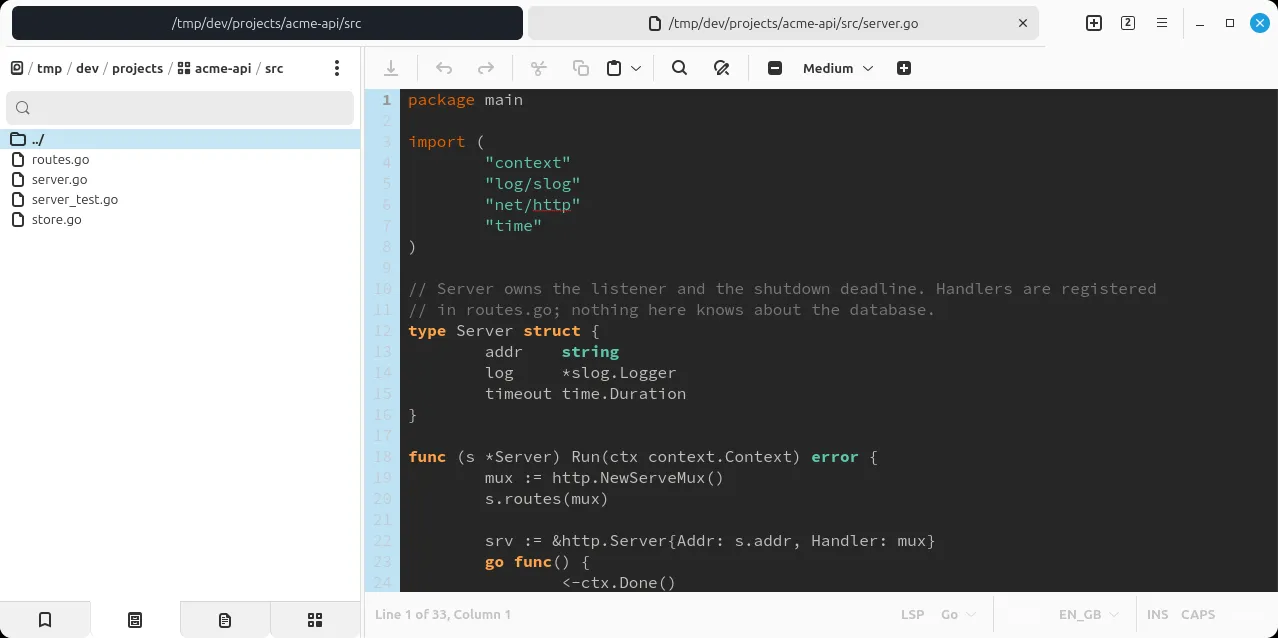
Files open in kat800 rather than in another application: an editor tab in the
same strip as the shells, with syntax highlighting, inline spell check with
per-workspace word lists, and a font of your choosing. Files arrive from the
explorer, from the Opened panel, from kat800 -e FILE, or as a pane’s whole
scrollback pulled into a tab to read properly. A memo is an editor tab too,
saved back to the store instead of a file.
Katai
One of the docks is a chat panel that reads the focused pane’s scrollback as its context and can start an agent in that pane’s folder. Katai covers what it does and where the model runs.
Leader-key chords
The leader key, Ctrl+A by default, starts a chord, and an overlay shows what
can follow: s r splits right, p m maximises a pane, s s opens a sandbox.
The shortcuts dialog and the F1 handbook, in English and German, are generated
from the same command table as the chords, so they cannot drift apart. Every
binding is on the key bindings page, which
prints.
Smaller things
Zoom one pane of a split to fill the tab and back again. The dividers return where they were.
On an ultrawide screen a full-width line is hard to read. A lone pane holds its output to a readable width and gives the width back for a diff.
Opened. Every file opened through the app, most recent first.
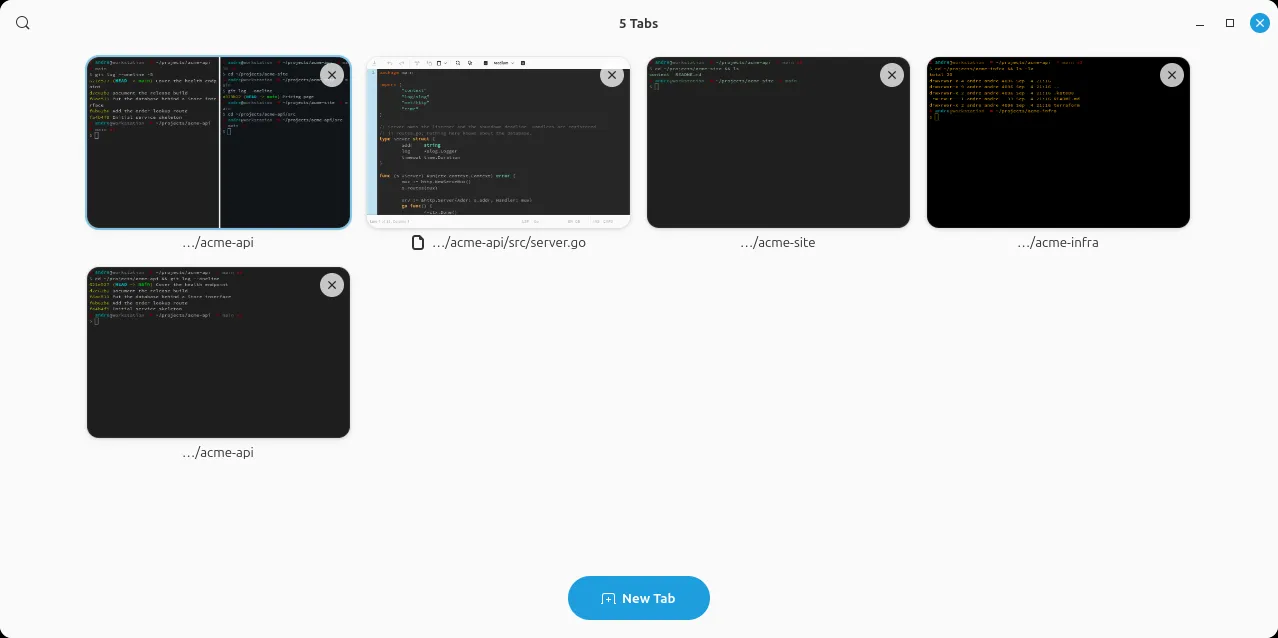
Every open tab as a thumbnail of its own content, for when the labels have stopped telling them apart.
There is also a tray icon with minimise-to-tray and an autostart entry, and one
binary that is both the application and its tooling: kat800 -- COMMAND runs a
command in a new tab, kat800 worktree and kat800 workspace do what the
panels do without a window, and kat800 doctor prints the configuration merged
the way the app merges it.
Coming from Terminator
kat800’s model, recursive splits inside tabs, Alt and an arrow between panes, everything reachable from the keyboard, is Terminator’s. The first kat800 was a patched Terminator carrying what was missing. The second was a rewrite in Go, still on GTK 3, talking to VTE through cgo. This one is Odin on GTK 4, calling C directly. The handle registries and callback shims of the Go version were its largest source of crashes, and losing them was half the reason for Odin. The habits carry over; only the keys moved, to chords after the leader.
On YouTube
The recordings are in the KAT800 playlist on the Hyperquader channel. The first shows the terminal, its docks and its chords in one sitting.
Under the hood
Odin with explicit allocators and no garbage collector; GTK 4 and libadwaita for tabs, client-side decorations and X11 window placement; TOML for the three configuration files and the session state; gettext for the English and German interface. The package carries the shell integration, which loads only inside kat800’s own terminals, so other terminals are untouched. The pseudo-terminal underneath, and the half century of escape sequences a terminal has to cope with, are on under the hood.
Install
Once the Amber Linux archive is set up (it takes three commands, on the packages page):
sudo apt install kat800